The Joy of SECST
SECST ([S]emantic, [E]xtensible, [C]omputational, [S]tyleable, [T]agged) markup is a more expressive, but easy to learn and use, superset and alternative to regular Markdown. It provides these features and more:
- Support for almost all HTML tags and then some..., with themes and styles.
- Table of contents, footnote, hashtag and social media support.
- Reactive formulas and data import that are as simple as Excel formulas, e.g.
[:value[2 * 2]= . - SEO optimization via server rendering, meta tags
- and JSON-LD structured data for both content generation and layout.
Use SECST to joyfully create compelling, interactive HTML documents.
This is the source for the introduction above:
:abbr[SECST] (**[S]**emantic, **[E]**xtensible, **[C]**omputational, **[S]**tyleable, **[T]**agged) markup is a more expressive, but easy to learn and use, superset and alternative to regular Markdown. It provides these features and more:

:ul[
- Support for almost all HTML tags :a(.#tags)[and then some...], with :a(.#theme)[themes and styles].
- :a(.#tables-of-contents)[Table of contents], :a(.#footnotes)[footnote], :a(.#hashtags)[hashtag] and :a(.#mentions)[social media] support.
- Reactive :a(.#values-and-formulas)[formulas and data import] that are as simple as Excel formulas, e.g. :code[:value[2 * 2]] = :value[2 * 2].
- SEO optimization via :a(.#server-processing)[server rendering], :a(.#meta-tags)[meta tags], and JSON-LD :a(.#structured-data)[structured data] for both content generation and layout.
]

Use SECST to joyfully create compelling, interactive HTML documents.
Table Of Contents▼
☷ About This Guide ↓
The SECST language, reference HTML transpiler and runtime support implementations are currently in ALPHA. Most, but not all, documented features are implemented, testing is far from complete and resource sizes have not been fully optimized.
This site's navigation, footnotes, computations, special styles like Key formatting and imported data are built entirely using SECST markup.
You can tap on the icon next to a heading to access a table of contents at any time. You can goto the top of the guide by tapping on SECST in the top left corner.
This guide is comprehensive, which may make it a little overwhelming. However, SECST has been designed so that you can start using it just a few tags and capabilities at a time.
The following order of learning is suggested:
- Use tags that support markup similar to Markdown.
- Start leveraging attributes like
alignon img. - Try themes or styles.
- If you are into music, math, or chemistry try
sheetMusicorLatex. - Add some simple values and formulas.
- Anything else that gives you joy!
For gentle overviews see the Medium and Hackernoon articles:
☷ Why Another Language ↑ ↓
- Semantic Tag
- A tag that has meaning beyond that used to facilitate document layout and style.
<b>for bold is not semantic, but<strong>for indicating importance and rendering as bold is semantic.
☷ HTML and Markdown Issues ↑ ↓
- HTML is verbose as a result of the need for matching open and close named tags.
- Markdown's goal is simplicity, for which it sacrifices a lot of expressive power. This sacrifice is the result of a non-uniform, non-semantic syntax used to support its simplicity.
- Ensuring that HTML documents are meaningful for textual analysis or supportive of assistive software is hard.
- Markdown is not semantic, you must learn the different annotations to format your document and the resulting HTML is not necessarily meaningful to textual analysis or assistive software. When Markdown initially had a very limited number of ways to format documents, its syntax was a benefit, for some it is now becoming a burden.
- Some Markdown syntax is invisible, e.g. spaces for line breaks
- The built-in self creating document navigation capabilities of HTML and Markdown are limited.
- Using HTML's computational capabilities, i.e. JavaScript, requires programming skills.
- Markdown provides no intrinsic computational capability. You must use something like Jupyter Notebook to support computation.
- Markdown provides no way to bundle assets for delivery. HTML supports asset bundling through the use of data URLs, but it is rather obscure and not automatic.
- Both HTML and Markdown are require specialized programming skills to extend.
- HTML's legacy allows the creation of documents with security flaws.
☷ SECST Benefits ↑ ↓
- A consistent, uniform compact representation.
- Compatibility with most Basic Markdown and some Extended Markdown.
- Semantic tags, which make it easier to learn and remember than Markdown and encourages more meaningful documents than straight HTML. Many tags are named after their semantic HTML counterparts to make SECST easier to learn, maintain, and extend.
- Enforcement of required attributes and valid values for proper behavior or accessibility reasons.
- Extensive, built-in document navigation for tables of contents and footnotes (more than Markdown).
- Using SECST's built-in computational capability for math and text expressions is no harder than writing Excel formulas.
- A predominantly declarative extension technique make SECTS easier to extend than HTML. Expertise in programming custom elements is not required.
- Asset bundling via the use of the attribute
staticonaudio,img,videoandvaluetags. - SECST is easier to extend than Markdown. Expertise in parsers or regular expressions is not required.
- SECST is transpiled to safe HTML constructs to limit the chance of XSS and other attacks.
☷ When To Use SECST ↑ ↓
If you only need basic Markdown, then SECST is probably not for you.
If you need extended Markdown, then SECST may be a good option.
If you need more than Markdown, then SECST may be your only option short of HTML, CSS, and JavaScript so long as you are focused on interactive document authoring. If you are building an application use Svelte, VUE, React or some other framework.
☷ Basic Markdown ↑ ↓
See https://www.markdownguide.org/basic-syntax/.
| Document Item | Markdown | SECST | Example |
|---|---|---|---|
| bold | **text** | :strong[text] and **text** | text |
| italics | *text* | :em[text] and *text* | text |
| code | 'the code' | :code[the code] and 'the code' | the code |
| newline | a new line | a new line or :br | |
| paragraph | two new lines, i.e. an empty line | two new lines or :p[<content>...] |
Blockquote
> quoted text or :blockquote[quoted text]
> quoted text line one
> quoted text line two
quoted text line one
quoted text line two
Nested blockquotes are supported using nested :blockquote[], but not using Markdown shorthand.
Lists
Must be wrapped in :ol[] or :ul[]. You can use Markdown shorthand inside the SECST tag content.
:ol[
  1. Item One
  -  Item Two
]
- Item One
- Item Two
Also see Lists
Headings
# heading text where there can be 1 - 6 #.
:h<num>[heading text] where num is 1 - 6.
Heading Level Six
Horizontal Rule
*** or :hr
Also see Code, Links, Images.
☷ Extended Markdown ↑ ↓
See https://www.markdownguide.org/extended-syntax/.
| Document Item | Markdown | SECST | Example |
|---|---|---|---|
| footnotes | [number] | :footnote[number] or :footnote[] for automatic numbering | |
| heading ids | # My Heading {#my-id} | :h1(#my-id)[My Heading] | |
| definition lists | see definition lists | ||
| strikethrough | ~~struck out~~ | :strike[struck out] and ~~struck out~~ | |
| task lists | see task lists | ||
| emojis | :emoji-name: | :emoji[emoji-name] and :smile: | 😄 |
| highlight | ==marked words== | :mark[marked words] and ==marked words== | marked words |
| subscript | H~2~O | H:sub[2]0 and H~2~O | H2O |
| superscript | X^2^ | X:sup[2] and X^2^ | X2 |
| automatic URL linking | https://www.google.com | :a[https://www.google.com] and https://www.google.com | https://www.google.com |
Code Block
```code block``` or :code[code block]
code block
☷ Markdown Gaps ↑ ↓
- hashtags
- audio
- video
- inserted and
deleted, see inserted and deleted - tables of contents
- social media and other mentions
☷ Authoring ↑ ↓
Although most Markdown is supported, authors should write documents using semantic tags with the format <tag>[<content>] or <tag>(<parameters>)[<content>].
For example:
:strong[bolded important content]produces bolded important content:em[italicized emphasized content]produces italicized emphasized content
☷ Markup Tags With HTML Names ↑ ↓
Almost every semantic tag supported by HTML5 is one of the tags supported by SECST. Most non-semantic tags are excluded from SECST, e.g. <div> and <span>. However, since they are so commonly used :b[] for bold and :i[] for italic are included, as are aliases :bold[] and :italic[].
A few tags of note are documented below to illustrate the use of SECST or highlight special features.
☷ Code ↑ ↓
Contents wrapped in :code[] will be inline unless the contents contain a newline, in which case the code will be displayed in block format.
Both `code` and ```code``` are supported.
☷ Details ↑ ↓
The :details[] tag supports the conditional display of content. It has one required sub-tag :summary[<short text>] and the rest of the content is conditionally displayed. If a summary tag is missing, then the first word is used as the summary.
:details[:summary[See the content...] Hello there!] renders as See the content...
Hello there!
:details[... Hello there!] renders as ...
Hello there!
☷ Headings ↑ ↓
Headings automatically get ids you can use for the destination of links. The id is the same as the text content in lower case with spaces and special characters replaced by dashes.
To make it more convenient, you can also provide your own ids, e.g. :h1(#myheading)[My Heading].
Note: All tags can optionally take an id starting with #. If an id is present, it must be the first parameter between the parentheses.
You could target this heading with the hyperlink :a(.#myheading)[Go To My Heading].
Note the use of a shorthand "relative hash" (a hash starting with a period) for the destination of Go To My Heading. This could also be specified as: :a({href:"#myheading"})[Go To My Heading].
There is a special heading h:[] with no number. If this is the first element on a :section[], then it will automatically get a number based on section nesting. This allws the copying and pating of sections from one place to another without worrying about updating headings.
☷ HTML Entities and Special Characters ↑ ↓
Special characters and symbols can be displayed using either &<character-id>; or :&[<character-id>...]. The second form can display multiple characters or symbols, just leave off the leading "&" and trailing ";" in the listed items.
The code ☻ renders as ☻ .
The code :&[female male #9893] renders as ♀♂⚥.
Toptal has a great reference for for special characters.
☷ Hyperlinks ↑ ↓
Sometimes, e.g. with hyperlinks, you need to specify more than content. This is provided using an attribute block in parentheses, e.g.
:a({href:"./index.txt",target:"_tab"})[SECST] yields SECST , where you can access the source of this document.
For convenience, any tag that can accept a url (either src or href in HTML) does not require the attribute, just provide the URL. And, single quotes can be used for attribute values, e.g.
:a(./index.txt {target:'_tab'})[SECST] yields SECST.
You can also use document ids prefixed with a period as targets, e.g. .#headings for this section. The period prefix is necessary to distinguish from providing an id for the link itself.
You can also specify hyperlinks with just a content value, e.g. :a({target:"_tab"})[./index.txt] renders as ./index.txt.
By default, relative URLS and ids, i.e. those starting with a period, have a target that is the current window or tab. And, those starting with a protocol, e.g. https:// have a target of a new tab.
☷ Inserted And Deleted ↑ ↓
:ins[inserted] renders as inserted
:del[deleted] renders as deleted
☷ Lists ↑ ↓
☷ Unordered And Ordered Lists ↑ ↓
Both ordered and unordered lists are supported using ol and ul tags with li tags.
:ul[:li[LinkedIn] :li[Facebook] :li[Twitter]]
There is also a shorthand:
:ul[
  - LinkedIn
  - Facebook
  - Twitter
]
The same shorthand also works for ol. Since SECST already knows the list is ordered, numbers are inserted. The main utility of using numbers, is to reset numbering:
:ol[
  2. LinkedIn
  - Facebook
  - Twitter
]
The standard HTML attributes for configuring ordered lists, reversed, start, type are also supported.
:ol({type:"a"})[
  - LinkedIn
  - Facebook
  - Twitter
]
☷ Description Lists ↑ ↓
Definition lists follow the MDN documentation for their parallel HTML tags except non-semantic tags can't be used.
:dl[
  :dt[Beast of Bodmin]
  :dd[A large feline inhabiting Bodmin Moor.]

  :dt[Morgawr]
  :dd[A sea serpent.]

  :dt[Owlman]
  :dd[A giant owl-like creature.]
]
- Beast of Bodmin
- A large feline inhabiting Bodmin Moor.
- Morgawr
- A sea serpent.
- Owlman
- A giant owl-like creature.
☷ Task Lists ↑ ↓
☷ Meta Tags ↑ ↓
The :meta[] tag inserts values into the head of a document. It takes the form :meta({name:"my-name"})[my value], e.g. :meta({name:"author"})[John Jones] injects the HTML .
Suggested meta tag names include:
- keywords, comma separated key words, but consider using Hashtags
- description for a description of the document
- publisher for the publisher of the document
- author for the author of the document
- copyright for a copyright notice of the document
- robots with the comma separated values of
indexornoindexandfollowornofollow.
Also see the section Structured Data.
☷ Multimedia ↑ ↓
☷ Images ↑ ↓
Since SECST has a focus on semantics, images must be specified with alt text braces, even if they contain no content.
:img(static ./assets/images/anywhichway_mobius_138.png) will not transpile.
Images can be loaded statically at transpile time and delivered bundled into the output HTML.
- The tag
:img(static ./assets/images/anywhichway_mobius_138.png)[Test] - renders as

- instead of a reference there is a data url in
srcattribute of thegenerated HTML.
<img title="Test" alt="Test" src="data:image/png;base64,iVBORw0KGgoAAAANSUhEUgAAAIoAAACKCAYAAAB1h9JkAAAAAXNSR0IArs4c6QAAAARnQU1BAACxjwv8YQUAAAAJcEhZcwAAEnQAABJ0Ad5mH3gAACbkSURBVHhe7X0JmFXVme2681hzFRRQRUFBQTEPIoogURAREuOIiTHpaNLRT9N20qbz8roTjZlep/slrzO82JlMTKJGNBoFRdQgg4AoUMxUyVTURM3jnef+1657tEKDXqFu1SWcVW7PtM/l3POv8//r33uffQ0JAXTo+AAYk0sdOt4XOlF0pASdKDpSgk4UHSlBJ4qOlKATRUdK0ImiIyXoRNGREnSi6EgJOlF0pASdKDpSgk4UHSlBJ4qOlKATRUdK0ImiIyXoRNGREnSi6EgJOlF0pASdKDpSgk4UHSnhb4YoMSn6KPH04YIchR+JRNB69CiObdmCpqoq9DY1IdjXB5hMsLndcBcWoqC8HGWXX46SuXORI9u66zw/XFBE8XV1oWbzZhxcuxaNO3fC39kpriQGo9mMhMGg6sgXQkL2xWVpstuRXVKC8oULMenqq1G+aBFcWVmqno4PhwuGKCd378amH/8YJ8SLxMNhWGw2mKQYxYuAJBnwNfiVWOLieWIsoRAMQpoKIcy8T92BiVd9BFaXK1lbRyrIfKLI5R0QD7L2G99AX2MjnAUFMIkHIUEUIeJxxKUoonBbCn0LPYyBxWhU+0gaQ9CPHIsR4xddjcv++Z9RNGOG8kY6PhgZTZRENIrqF1/Euu98B12iQ9xCEg30FCQIyWCyWmFmcTgUiUByyLlR8SRRvx9RVTcBl9UIt9kIc28rbKEg5v3LtzDxrntgyc5OfqqOsyFziSKGbtn5Njb86Mc48tYOWB1O5UXisj8mxWSxwC36o3jqVIysrEThuHFwjRwJm9OpvEhMwhM1TXd9PdpqatAqJVR3AtaAF1lWA2yIwNzThXErb8LYv/8H5MyYA4NJl7xnQ0YShWEiVF+HqmdWY/Pvn0Q0HIJZ9AiNz1CTU1qKimXLMGX5cowSotiFHO+HmJzT29yM+q3b0Lz5dXj3vQ2zvxdueqGgD3mTpmHU57+IEctXiofSyXImZBxRYhEJGa1NaNtbhc2/ewLv7NwtRHAoAUvdMXbBAsy/805MWrwY5nPQF/QyTX95FaeefwrRI4dgF89kiop+cWdh/FceRtF1K3XdcgZkFFF4KaGWZgSPHULtziq89vjT8Pf2wCShhOnujJtuwhIRobkSYs4Xgc5uHPu/30LvpleEcCbEgiEYLSaUPfAwim++TcKc7lkGIqPuRtTnQ+DkcQTa29DacAqBPk//fglFk669dtBIQjgK8jDt//wIo1Z9SglgtrkYRPDW//h7aH3+mWQtHRoyhiiJWBzBpgYEm+sQ9PrQJZoiFg0rvVIsaeyie+4ZNJJoEEeF8V/6Oorv+AKELYDZgkQwiPqf/htaN6xP1tJBZAxRIp5eeN85gEQkBL/HA29nl4jXiGo3mb1qFUpnzUrWHFwYJV0uESFb/Mk7JfTFYBTPEpN//8TXH4C/uSVZS0dGEIWZTEC8SbitUVQTRJcIaXr71CM/dv58VEqGk04w0Rl375dQ9LFbxItFYM3ORbS7AzUP3KNEtI4MIUrU0wf/scNyNQbxKFGE/T4pfjhyczH+iiuQN2pUsmZ6Mfa+ryL70oWIBP2wjy6Bd88O1P/8J0pkX+wYdqLQm4Q62xHqaJWLMSAeCiMkGQjbTnLGjEbp3LnJmumHNTcHpXffD9vosYgJWa0jRqDluSfQufkvyRoXL4adKBSrgcY6xAJ+1SQfi4bESEHV5F4wvlzK+GTNoUHOjNko/tRdSBjN6ubEhTDNT/5WMrH2/goXKYadKEyJQ80NshJCglmOaIJoMACTxYrCigo43O5kzaFD8S2fRMF1HxNP1wWL0wXv3t1ofvw3yaMXJ4aVKIz9kd4uRLraJQTFRJ+IcIxHZD0qBnIip7QkWXNowZtSdv//gjE7R/gbhMFsQse65+CpER11kWJ4PYqEmkh3N2K+XrbdC0eiamlEHDaXA67c/GTFoYctv0DS5vsRamtRjXFRIXPz6t8nj158GF6PIl4k2tuJWDDInjsVehCOwIwEbA4HrA57subwoOSue+CcWImotw8mhws9Imr7Dh9IHr24MKxEicdIlG7JdIIiYmOIC1EYfiwmA6x2m7j84e2cM5mMGPP398t1RmEwmhDr60bLs3+8KAdxD69HIVG8HuVJ2CKb4AAjMYrFbIDNRr8y/Ci6diVclbMQ8XslBDnQ89Yb8By4+LzK8GqUhKTDkhYnRJdAPIoSsySKUYgiT7PSLMMMa04uCpd/XDyKQTXhxjo70bnxleTRiwfDrFESSIRCalhjQggSj4pHCYdgMohGEa8SDWVG83n+kmVwlk0QLRVQo+e6t76GQEtz8ujFgeElCv/EmySEHGpgUiiCWDgIcyIGpyGmOgozAc6Ssci/eoUiNAc1hepr0bnhteTRiwPDShQOO6RIhJCELbIUsww3xkQU1nhYUucuSZQzA7lLlsNcVKQ8HtHzyhq1vFgwrEQxihs3WKz9aTEFLQt7ayVtJlHQ3SHZ8vDrFMJdUYERly6Eta8XzoQZ4Zpq+GqOq2M+EbodvR1oaGvA8VPHUdNQg/0n92Pf8X04cOIAquuqcazpGOrb69HZ14lAKHDBdTQO61DIuMT8pqd/h47XnobJ5lRDDKhb2OAW9PmQmHgJJn/5QeQUDl/D20C0rFuH7d//BoK52ei0Svq+dDmyZo5E26lTCEQC8If8osmjiEg4jYpXZNpmlD8KYZPBBKs8FC6bC267G/nufIzMG4lRBaMwKm8URuSM6BfMGYphJQpjftv659H85P+HUW68GnIm2Q/vsOokHFGO0nv/N4pnTO8/YRgQklBzouUEjredQM2RahzetxtRpwERixQhtMEYRUzSfOotgksD/5IvoBHcjjOIDrjTJI7NZIPL4UJBTgFK80sxcfRETCmdgpLCEvXQZBKGlSgcYtC5fRPqH/meEESEosWiWmsla1bZUMKZg6I77kXZR29InjF08Pv82H1iN3Yf3Y3Gjka09bXBGwkiajKoUXEWo1ykhMqAJ4SgZGcmkwmGmFiXokruKG+rIo2QhW8LWK1WVXhuwihH5HhMRLvqMZfvbEqYkO3MRmlhKaaPnY45E+agoqTiXbINN4Z3FL78y2wSP/n/HkSo7RRMDgk/ctPAtJkveskyd/mtGH/3l2GxWZInpRfdfd3YcXQHDh4/iJrGGrT2tMIb9CLCkW9i8BxHNlxxIUXUgkjEgnElJRg7VjyAGJp/NHo8GkcgEECvrxddvV3o6OpAZ08nPEEPTGYhhCsbDrcDVqcVZrsZBiFfXIjHsMXQazfZUZxbjFkTZmHZ7GUqPA03hv11jUBrK0784JvwVG2DyZXV73HlKeNgaw4ecs2Yh/FfeQju8RNU/bRB7sLaN9di4/6NaOpoQo+3B96QFwXuAkwunYxJoyepJ9was+Gnj76CE7U94lWs+MSti/HFO5fB6wupp1/dTvmPhIkK2YPihYKBILp7u3G87jh2HtyJfUf2oUsyOrvdjqysLNjsNphdZliyLYo4Mfnj1B5mgxljC8di+dzlWDpnKYzD+HLasBOFZGj83X/h1JO/UkRBXKiiYo+sSvgxZuei5J5/wuiP35I8Y3DBPqat+7fipZ0v4UDDAUTCESU2S0eW4soZV2JB5QLYrXa47C447U7RVQl89dtPYd3GfXA6zFj2kRn49298Ivlp7w9+dq+3F+1d7dh/aD82vb0J1bXVihQ2mw0WqwUWpwWOXAfMbrPyMtRINrMNCyYvwO1X3a4E8HDA9LAguT4sMJgsiPL1jC0bxGqiTxKcfUA8iiKMAVGfuOvcXGTPX9j/Avog4ljjMfzm5d/gue3PqfQ1x52DhdMW4qZFN+GTH/mkcv35WfmKJBZzf+gzSmZSc6wBVQdq5XoMcDltWDi/QpYf3NNNHeOU8FqUX4TKiZWYNWUWRhWOglfSa4YmEikRTsh3jspDElf1rXYrovEojrVIet1Wj8rRlcjiAzXEGH6iMDswGdG1dYvolA6YLHbRgyIC6ejYtyIpdEIyhKwZc2AvKkqedX7wBXx4vep1/Hb9b7H98Hbl6udPm4/PXvNZfPSyj2JyyWS4nW6Y2Bh4Bpysb8PWne8o0jgcNlwxbyKKCj7cjAhsQ8oVb1lZXompE6eqsFJ/ql6l2MyIYiEJPz52bST6Q5PNjMb2RrR0tSiy8PqGEsNOFAWjRb2u0bNjs8TpHLJHyCFZAcS7iLiLeLrhGDMOOTNnJ084d9DVP/byY3hh+ws42ngUM8tn4s7ld2LV4lWYVDIJDptDGfGsEEfX0uXBxi2HxPMZROCacMms8SgrOTcS89XVgrwCzJg0A26XG9XHqpUItlltiiSxgNA4ElNi3uKwoKGjAX3ePkwfN13VGSpkBFFMNqvoExda1j6HhNz4hDzJDD3MNI3sHPR6JSOII2v2pbCd61wm4qD++Mof8cs1v8Tumt2ymcDnP/Z5fPGmL2Ja2TQVXlJNRQP+MDa8cQi+YEhCkhFTysdg+pTS5NFzA1PnaZOmoTCnEO8cf0eRgft4nZFgBBFvBBa7iF2nGSdaTyhdM2PcDBWehgLD2oQ/EPZRJci+5ApEenr6PYr88f8xahbRJn3vHED3rh3J2h8OLe0t+NGTP1J65OSpk5g9aTYeuush3L70duS6c9/fg5wBedkOuFxiRPF2oUgcTe1yzYOE5Vctx+0fu101xAXDwf5WXQ6aklDkqffAGDBKeDZhw4ENqDpWpe7TUCBjiGIrKMKIlTcgJrE6IjcoKqEnKi6Fr20kRLeEeyRb2LoRfkmnPwz2HNyD7/7qu3hmwzMI+oP4zLWfwYN3PYgrZ16pmtTPBU63Q9Jap5phgWl8Z48XodDg9Uldv/R6LLtimfJw4WhYkUW1tQgpPU0eSdGt8IV8WPPmGoSHaChGxhDFYDEjd/4CuKbPRrC3FyL0pYhHYfub3LC4PFU9+/egc8eOlJ+hFze8iIcfeRhvVL0Bm9GGhz73EL5w8xcwMv/8Ukynw4ocIYpqRZaL8XiCCISCyaPnD4fTgVtX3IoJYyeoTIitt6oDVcJw2BeGr9mnmv/3NuzF7iO7k2elFxlDFMJZPBqjr78FBmeWPClsLo9LiYqXicEgaWKgsxX1rzyPvuP9vbZnA5vff/rYT/H9X38fdc11WDB9AX7x9V9g2YJlsFjOv4WXT7rTaRESi6YxJtDb44evb/CIQpSVluHjSz4uabdLtaWwuYtkYXdAoCeAaDcHesWxYf8G+P3+5FnpQ0YRxSRpYP78K5A9faY8SYH+sCMaJc4iiiUql9t9cC9atmxUE/mdCa0SmkiS1etWw+PzYPnly/H1L3wdFeMrkjXOH9ROZs4nR98mmU9ADNnnDSSPDh4umX4JxpeMV6281EMKtJjwM9wVhiVuwfH242r4QrqRUUQhXKWlKBJBZ3S6Re2HVH9PXG5UTJ4og9mGkISlUxvWo+fokeQZ76GxsRGPPP4IXtj8gsoabl5yM776ua+idMz5ZST/A6KjTKIbSF7mSQF/BD0SfgYbJcUlqo2FrbbsQFRpoICeJSqaKOFJoMfXg6aupnePpQsZRxSz3YHijyxFzrS5CHo87B+UIk+vEEU11lpsaDu4Hw2vvoRI4D3jdHZ04ie//wnWblqLvr4+3HDNDbj/zvtRWFSYrDHIYCrN/+QOhkRQ9voG36Pw88eVjoM7260sxRAcF/FMorCdKeKJIBaMocvTJfcmvUzJOKIQ2WVlmPjZu2EtKkbI65GQA0RgkiLilqPzExFUP/Yoal94XtU/WV+Lr/3wa3jpjZdU28N9n7oP/3rvvyI/nW8aCkPoTShmI6IVfL7B9yjEiLwRyHZnq4Y5g0X+RZM8OEIWWi4RSiAo2ohdAGpS5jQiI4lCFM6eg5Lrb0MwGBa94heDUBHI5dJAInZDkh6eePYp7Hj1Ffz42Uexa/9O5DhzcNeNd+HOVXfC4XAkPykNkGuJRKIwC0vYOsuwED6LZjpfcPwK202YHrNpn2KW65RH7HqIBqKwm+1p71nOWKJYs9yY/JnPoHjxNQh4wqpNRbJllWlEIwY5no+O6oNY893v4K1t25iz4t5P3Yu777hbdbylFUKOcET8GwchyZ/yKCGOzBt8hISAHKdCb2K2mtWgJ7bGclwLww87EF1GlwpT6UTGEoXIHiNi7nP3wTFmrKTGXUiQJHJHmJVG5OmC1YaKng5c7rPiq5/9F3zilk+rxql0g3O9+bySdTBdZTiQawoG0tPw1e3tRiAWUKEnYZJsy2JWHoaeRjlYEW55zjxZvUg9ioaShZfj8m98CzbJAPy9fSLu4+Jw1YgEBI3yhIn7n9tUh+knG2FMk7FOh18yDi+nw+BjzNFusgiHB69lVgMHaR+tPwp/0K+IYebkPiSMud+rhBIhlIwuwbiScRe3R9FQumQJZt33jzBJOAp4OTOTZEBy5dRvMasdnmgEm3/6Q+z85c8R9vmSZ6UPXn8IfvEoZtEKCck2qC2ZKg82GpobcLz5uLKS1WxV2oRFtdKKJ2P7ytQJUzGiaETyjPThgiCKSR7ZKatWYe4/3A9HdjbiwaBKm+lZ1KB9q0ulz7t++yje+uUvEGDHYhrR2+uHX8hi4Ny0wg+jaAU25w82dtXsQkt3i9IjypOIPuGoNxKFApohaP7M+SrTSzcuCKIQZtEj0TlX40DJLHTR6UfCqjEuRkEnWQjnL+FskvQq26Vwzvt0oavbD58QRezEK1GZz2DfytqWWmw/sB3BaBA2i62fkPLHnuS4Ka7eIxpXPA6XTLlEdSmkGxcMUeoaOvCLp3ZgdXM+3hwxC+1s1g/4JHWOSkYUF5Hb/9NwUdne+h//gTUPPIDO2pPJswcXLR1dCKp5XMR0IpaYrVqUqB0csF3k2U3PoratVo1uo0AnSShmuc4BTSTHjUtuRG5ebvKs9OKCIArd/NNrt+ONrXuQR88xcRGybv47uMvHiRfhoCa+H2NARLSCQVJja0Eh9v/pGTz7pS/hZFXVoDZGUTw3NnUqbyaPt2gUtnGI0JQyGOC1rt2+Fjuqdyg9woHVbGRTGY+EOhIkFA9hbuVcLF2w9KzDNQcbFwRRNm47hOfXV8mNssBtN2DppZX4/De/hmse/h5GXDIfoWAYQf7Sl6hK9glBUkh3aRlObt+GP913H3Y88QR8g6Rb2ABY3yTBT3SCiXPnyx2k8TiCfjCwfud6rHlrDUKxEOwWu2orYdghabgeiAbUKLhbl9yqBn4PFTKeKMdqW7Hm1T3o6fHDZjVjzKg8XDazFC658rGXXY4V//Z9TLnxRjWHfTDgV0MExTOrp9w9ciR6GxvxykMPYc2DD6LlyBH1Sx3nA494t7pTXbDL020UbUKS8GdinBIizgd8wezFHS/i8dcfhyfggZPvYieto95flr9QNKTWb1x8I+ZNm6cINFTIaKL4fCGs37gXu/YeF5KY5Kk1Y96sCZg5ZWyyBlBcMRE3/eCHWPH9f8eoOXMZG0S79M+3QiO6cnNVm8OeP/wBv7/jDmz62c/QcuyYaJtza3M5cbINp1p7Yea4FjGUUVyKVdZd7nMjSlyEeF1rHR59+VE89upj8Pq86v0hRQJ6Eo5uk+8RjlO8x3DbktuUNxmqkKMhM0bhnwV7D9fh109sQo+ko0ZxvaPFm9xy/WWYUjEmWaMfvJHFkyejZN48GG02SY+7VYrMn5ZTIULSR3tWFvySCdXv2IGGPXsQ8PnUD2nbXC757NRv+rrX92Dnnjo1Kl7+WRXu3C47rr58MsrLPlx7Bt9GpBZZvWU13n7nbdV3wyEF/D78I5gG05NYJOyuuHQFPn3dp999x2gokbFE6fME8OxLb2Hzjho4xCgUj/NnlePmlZeql67OBHd+PsYvWIARlZUwCjm6GxoQ6O4Wa0bBmZIsDodyofzl9bo330TTgQPgD1nac3LUsQ98wUy81W+e3orG5i51TTQoBxTl5riw9MppGFOcl6z4/vBLiKxuqFZa5MW3X1Tv69D47NxTBOnnCMKxsOrrKcgqwPWXX49VH1nV722GARlLlOqjjfjdM1vQ2xdQDUzUJ9dfOxcL5k1K1jgzWDe/pET9cnpuWZnq1fW3t6tf6+AvnHJKUrPFqozce/IkTrzxBk689ZYSu06+CiLehaRJ2uqv0N7uwa+f2ix6Qp58NqII+MOWhQVZuHbxVBTmn/0NPhKKHuSdxnew9q21eHb7szhUd0i9n2xz2FTvL69J1RWRxUHVDDUTRk1Q4WbFZSvUO0fDhWF/9/hM8PoC+M2Tm/ArKRSJATH2jMmlePArN6Fy4l+HnVRwdOtW7Pvzn9G4axd8nZ2IBtlPI1+eIUdS63AggJBHBGRRESavXInK5ctRPHEiskaMgFO8jRaanlu/E9/+zzXIzc7qb8+IsA0ngdnTyvCtr9yAgvy/fnuPApUzIfB9YzbFbzm4BVW1VQhLSKTR2aJqistny8WoPiy5lkSUI/kMyLJl4bLJl+G2xbchP2f4JxLKSKJUH23Ad//zeew/3KDivzcQxm2iTR788o1yxWd61lND/d69OLZ5Mxr3VKHrZB28LS0qCzLyM8UT8af5g0yjxevkl5djwlVXoXzBFRg9uQLOEcX49s83YMO2GhTlOfvbUaSQKNcsmo6v3bcCJktCrtUnxYtOb6cKKQfrDuJI0xE1xwrbSDjlBfttCA5RIDn4ojzXKbo5e8LUsqlYNHUR5lYM3U/QfBAyjigcEPSipMM//PXLCPrDcvviEnas+Ke7V2CVkGUw0NPcjFPV1Ti5bRua9u1Dr2gZEoRhQEGMF2F/Ukz0S14hxkwsQ3T6HKxtGw2vNyieQIglqbEaliiri68owYrryoUc3TjRchKnuk6hpadFzdfGl7jYUMYZERheGIIoUFm4zuzFZXWpqbk449KcijmYNW4W7Lbhnd79dGQcUdo7+vCz376GP6/fpd6f8UmqO2ncSDz0wM2YKS5+MMGOxDZJlVsOHVK/tt58+DC6amsRkOwoKuGBmiYRDIm3ieLQ+DloKVkJt5FBQvazpU0MbTTGMGZCK4wj2kSDBBAQYtA7MDRxfhMtjVUNZ3GRQAaT8ih8hbUwu1BNwzW+eDwqRldgbNHYIX2f+MMg44iy98BJfO9Hz+NobStcLpvq0l+ycAq++ZVbVHaRTvS2tqL9yBG0SWkXAnWdOIHAqQY0iefYWbwYMXc5zLGA3DQhC4cextjHE4B7XDWC9g4YEw5YjCKWJXRRVNOTkBTs1HNanch15aIgu0DNpjQmf4yaSYkvow11m8i5IKOIwrCzbsNe/OBnL4rLFu0gMZtx/RM3XC6hZ6XE8KFrH4yIXvEIcfpOHMFj67bj9Vo7nE6nZCQxkUkcVsA2lBhGFZlx6WK5hTZ2Dkodi0O1hThkySGZWc4sJUxzXDnIdeaqd4rP5RfghxsZRZQ+jx+PPrERjz39BhwSdmLROOx2C+75zBJ8+tYrk7WGFhxl8o/fXC3CuhHZfDtQwo3cNRV2AuEYrltcifs/v0hqcaQbJwG0KFGqvMS56+6MQ0Y14XtFjxyRkMN2Ct5oagiX04qRRTnJGkOPdRv2Y5+QhA1sHHbCzjkSgp2P7DGeN7McbkeulCylO1TKy3T6b4gkREYRxeMJoL6pUxmAjU8cHeB02NKuTc4GZkG/eGqbXItEFqtFdIesiAZhKs2RdQV5LiycV56s/beNjCJKV7cX7VIsFjEGI6K4eLvNKk9z+of6nQlPrt2FusYu5AlRDUbJZCAilV5FjpEos6aXiW7JrDQ2XcgYolC0tklq7OkLwCKumykmYbaaYE42lw8lOOfJE2uqMLIgp79BLlmop+npTGYjPnrV4M+oTck4sJxpH+/VmfalExlDFLr5rh4PopL5mDi2UKD6UMU4ylBDCLaW/nL1Nvj8YbjdNtFKJIncKnUZRoRExE6fMhqzp57/r6hqRtaMz6VqrU0Wjq/hvRm470zbPDedyBiiRCJxCT0+1cnGoQEaOAcIb8ZQYu3Gw9iys1ZCjlO1h7BPiPqE1xWRS3G57Fi1/IMnHhxoPI0MA43LPh8SgYXr7CkeuK0d14jB5UCSDPxMLtNJlszxKLE4PN5Af6tm0s3TmQZCYVWGCntrmvCnVw+IlUWRSKbDsWX0aBzFRqLE5DovmV6KhXP/p4jVDDXQM9CwA4nAEgwGVdG2tTKQOKeTYiBh+Nlc14hCaMt0IWOIQklCb9Lv3vsXFI4cWN3bl/4ZhYiuXh8ef6EKHV1+uBxWmNk3I7eIuoQpcSSSQG6uEzdcM1292klopNAMqxGBc+GzcDYkbf10gmikGEgMrWiE0IiibbPw32TR9mnXkU5kDlGUSf4afJI5HLK5Nb0vdBE0zqN/2oVDx9vgsgtJzPyVVLn5Ilr58hV1SiQew3WLKjFXPEosFn2XECSDz+d7t3i9XlW4rpFE8xha4b+nrZ9OGI0YXNfIcTpBNGJo+7kvncgYojDcqJ+NG/BksD3F6w3hRH2H3NDBf7dXQyAUwR9f2oc3dp+EQ0jCQVIUr7weM/WSLEOxBCaNK8TKRRMQCQbQ3d2rJuzxeDzvLllIDhJHI4bmPbSikUQrmlegsTVCEBoptH3aOpf9bUx/7UlUuE4jMoYofGopEvmFtS/PFk72pxyvbcGp1m61b7DBWRdfeP0w1m09BovFCrvoErkIVRh62Ass9kSW04qPXlEm3saAlvYOIUfvux5ECyvakp5B8xTa8v08hFa0764dGwiNGNpSq0uxrZ2bTmQMUSxmk2rYooE4aQ7B726yGFFb34ZDNYM/oR3/nWdfO4T1246LIRPiTdig1u9J2CFJ8nJCZF7IvMkFmDohB+3iSXy+93THwLBCIpwePgZ6DK0MJMLAYxoJtG2C+wbWIbgkMVhIlKFARhGlMM8tS7N4kfeeJr4K0dUTwKbtNejp8yb3nj/4Kuof1u7DOiFJOByDXUgijJD/2KEnN0YZgb3XQHmxA1dML5DUOCqexKeIQUJoRSMGDagZVVtqT7p2XCsaAYiB+zRiacc0qDQ9SQxtXSvUU5wWVfu30oGMIQqf3lEjc5EvWUVIbr72nTm1hNlswPbdx7DuL3v7d54PYkFUH2nEI6vfxms76hCPGZL9OEIQ8SKc7ZFpsNFoRiACFLjNWDo3D26XEd09XiHVeyQZSA7NwDSWZmgWjQQElwOJoJ1PaHU18HO4ra5JteNI9pVcsmjkYOE6j6UTGUMUorAgB6OK8xHiC1zJm8h757Bb4PMH8dy63di8vTpZOzXQGNFoEGF/L+pO1uE5CTWPvXQYVTXtYg2j0iQq1IgnIVmNaooJMyJyjDfnmtluIbBDTZ7DVmOGK36mRoiB0AigGZxLbXtgGVhPW2oEOFshGVg41oWFvdQaQXgt6fQmREaNR+nqC+KRP+7ASy/vQFQMy5e++L4xwwAHMXNgU8XEYnz2tsVYvnimEppnQzQqIjIkGsLvQ1e3B0cavKg6LmRpZUoakydRaCDfnJ9A43OYCVtNxGyIRBPwBSUVnmHCpdPyxLP0D6DSnloajhi4zcJbSYNxXTOets2ifYa2j+tcEtp+LkkArY5GBi61zyF4fCiRUURhH8pru1vw/KZ30FFXi7aGejF2UCwhN403T/44VmWEeJ6rFk3Fx66ZjakVo5VH6EcckYBP0lQv+nxetLZ5cLw5gGPNEbR5YwiG+VX7iyKIGvMqa0nvxU/xxYRkQsj5ZcCCGW4IpXhYnaMZUDOiOkeMSGjbXHKftq7VZdHq8bi21IpWTwsnp+/X/t3hQkYRhVdS3diL57Y1o1MEbKinE+2nmtDT2QG/iMgYX4qK9U/dyem5OB5kYnkxKspGIk+EsMnSP4YlGDXAEzahy5uAX3QGkyhOZqxutPwj/JMvrgYf0cwROYnbatoMqTynOIpZFU5FThKThqM3oMFYCM14BJenk0g7rq0P9Ainr2uFxOBSO49LDQPXhwMZRRSisy+ENW+14FC9VzIek5AjgpB4B0705/f2qTnw+cSHw5JtMDsyG+Gw2uBwOmFz2WHhL3iJzpAD/HaKCBzjSgLwq/Z/W2oDLmQp95/rbM8zIiIkCaNyrE0Nb+CYE/bxEDQUDamBBuXncR+NqnkAQiMBt0kybV1b8lxqDG6f7j0GYrjJMRAZR5SwWGfXkW68XNWOkGgFmxidQyKVUSUGxOMiKMWbcJ03kj+yrdo66DbkvqqgolgghedQfMheI9dlzUg9whW1JVFHDoci8mQnwphRHMCk0SJuhXycbkszlGZgbZ3QPAC3tePaNo9p+0kEbmvk0Na14yxEJpHiTMg4ohBtEnb+/HYrDjf4kWXnz8ZRJIpp5VL750uTbU6up7bJC5JFPIaEJUUWag8Sgvzin6onpZ8h/CDxNFJfMht/yAR7wouZxR6UjOTTzfEn/fU1b0DQyNynkYHLgUbXiEKD8zyNFMxQNK/Bejw+kBSZThANGUkUoqahF6u3t8ETTEhooQFIBFqelytaJCY6hetSqC8UEfgahdRRKafU4T6p+S5ZSJt48ngsYUI4ksAoWw9mF/uRnSMEYbiSM2hQGplGpKF5Lrc1MmhG51LzGBohSBAtrPC4hguFEGdDxhIlKiFoxztdeGlvt2gFE2xWeRLFlP23Wy45Kh6DSxqfHkdWFSX4deg5ZMmjJAaPcDseN6oZJJn+WiXUTMjuQeWIOKx8NURIopGBRmbRSMB9NDS3WQa2Y3BdIwXrcP1vERlLFCIoCvPN6i5sPNiNvqgRTos86WIMRh+SRsUWWSdR1NcgOVhUiEl6GhJJDlGYhsSD2BDGKHsA5flhFOVKKLHYJb2m96Cx30tPSQKNDPwBBhKB2zz2t06KMyGjiUJEwiHsP9qGDYd60dAnMd5ogkPEpkUyInqXfo9OknBBoiSbxYUdESkBIQeHWVqFIKWOECYWRTEy1wA7p+UUElgsbOmUbMnS3yROMtBLkCCaVyEpLvTQcb7IeKL0Iw5fnweHTvZgf2MYDb2cXoKhRwwoD3X/GFt6EWYrwhdqFAkxDpEIRe4EyvINqCgwYkyheAT+ArlBPIgQzmymd6DnsChyXexkeD9cIETRkFA/39ruCaO5M4SG7hC6fFHxOnKET714EI45ynObUJxrw6g8KwqzrXCTMXxxK7O6ti4oXGBEOR1sE2G4YYYjX0aIpLSDet1D9w6DiQucKDqGCrov1pESdKLoSAk6UXSkBJ0oOlKCThQdKUEnio6UoBNFR0rQiaIjJehE0ZESdKLoSAk6UXSkBJ0oOlKCThQdKUEnio6UoBNFR0rQiaIjJehE0ZESdKLoSAk6UXSkBJ0oOlIA8N8nblSKqmY2hQAAAABJRU5ErkJggg==">
If static loading fails, the standard link will stay in place and dynamic loading may still render the image.
The callout for the generated HTML above is implemented using the details tag.
☷ Audio ↑ ↓
☷ Video ↑ ↓
☷ Paragraph ↑ ↓
The :p[] tag wraps paragraph content. It accepts plain text and phrasing content, i.e. most other tags.
Inside the content of a :section[], SECST will treat two newlines in sequence as a paragraph break. Newlines inside a p tag will produce separate HTML <br> elements. A :p[] tag is not strictly necessary for really simple content. A SECST parser/transpiler will do a reasonable job of figuring out where paragraph breaks are required; however behavior may vary from implementation to implementation.
If you get an unexpected document layout, try putting content inside a :p[] tag.
:p[] allows three attributes:
- style, see Styling Content.
- align, which floats the paragraph "left" or "right" of adjacent block content.
- textAlign, which aligns the contents inside the paragraph to the "left","justified", or "right".
Also see the technical documentation.
☷ Style ↑ ↓
The content of the :style[] tag is CSS. The CSS is automatically sanitized.
The tag can tag one attribute selector which will prefix all styles in the style block with the selector to limit their scope of application.
Also see the theme tag, which is much more powerful and Styling Content.
☷ Markup Without HTML Names ↑ ↓
☷ Escaping SECST ↑ ↓
SECST tagging inside of :code[] is automatically escaped. If you wish to escape it elsewhere use the tag :escape[].
:code[:strong[text]] renders as :strong[text].
:escape[:strong[text]] renders as :strong[text].
☷ Emojis ↑ ↓
Emojis can take the form :emoji[<emoji-name>...], where <emoji-name>... is a space separated list of emoji names or the short form, :<emoji-name>: can be used.
There are over 1,800 emojis. If a match for the emoji name can't be found, it is displayed as plain text.
See EmjoiMart to find just the right emoji.
:emoji[smile] and :smile: both render as 😄.
:emoji[smile frowning jumping] renders as 😄 😦 :jumping.
Most emoji's are colored. You can use grayscale emojis by providing the attribute grayscale.
:emoji(grayscale)[smile] renders as 😄.
:emoji(grayscale)[smile frowning jumping] renders as 😄 😦 :jumping.
☷ Footnotes/Endnotes ↑ ↓
Footnotes are inserted with the :footnote[<footnote-text>] tag. The content between the braces is used as the footnote and placed at the end of the document. Auto-numbering is done so that authors do not have to keep updating footnotes as the document changes. 1
The source for the above footnote is:
:footnote(#markdown-footnote)[Markdown does not autonumber footnotes, which makes them hard to maintain. Although, it does create back-references.] To re-use a footnote, give the first occurrence an id. Then, give the subsequent uses an href attribute or shorthand relative URL reference using the id and leave the content section between the braces empty. This will override the anchors for numbered links generated by the SECST transpiler, but not break ordering. 2 If you do provide content when reusing, it will be ignored.
The source for the second footnote is: :footnote(.#markdown-footnote).
And, here is a third, :footnote[Footnote management does not get much easier!], that just gets numbered. 3
☷ forEach ↑ ↓
The :forEach[] tag supports repeating content based on an iterable object, typically an array or the results of using a CSS selector to gather values from a document.
The variables item, index, iterable are available to string template literals in the content.
:ol[
  :forEach({iterable:["a","b","c"]})[
      :li[${item} at ${index}]
  ]
]
renders as
- a at 0
- b at 1
- c at 2
:value(#a hidden literal)[a] :value(#b hidden literal)[b] :value(#c hidden litral)[c]
:ol[
  :forEach({iterable:"#a, #b, #c"})[
      :li[${item} at ${index}]
  ]
]
renders as
- a at 0
- b at 1
- c at 2
☷ Hashtags ↑ ↓
Hashtags can take the form #<value>[] or #[<value>...], or :hashtag[<value>...] where <value>... is a space separated list of words to hashtag.
#secst-is-great[] renders as #secst-is-great.
#[secst-is-great javascript-is-great] renders as#secst-is-great, #javascript-is-great.
:hashtag[secst-is-great javascript-is-great] renders as #secst-is-great, #javascript-is-great.
Hashtags are automatically added to the meta tags in the head of a document for indexing and SEO purposes.
☷ Latex ↑ ↓
Math and chemical formulas can be displayed using the :latex[] tag.
:latex[Lift = \frac{1}{2} \rho v^2 S C_L] renders as
:latex[\ce{CO2 + C -> 2 CO}] renders as
To display the generated formula as a block, end the content between the [] with a newline.
☷ Macros ↑ ↓
New tags can be defined in the content of any document through the use of macros.
A macro takes a name attribute, which will be the new SECST tag name and a tag attribute which will be the top level HTML tag to use for replacing the macro tag.
The content of the macro is used as a substitute for the macro. The content can contain variables that are populated based on attributes provided to the new tag when it is used.
An optional attribute contentAllowed specifies if instances of the macro tag can provide content to append at the end.
:macro({name:"profile",tag:"p",contentAllowed:true})[
  :em[${name}]
  :em[${age}]
]
:profile({name:"joe",age:26})[Hi there ${name}!] // Hi there joe! gets appended since contentAllowed is true
renders as
joe
26
Hi there joe!
with the HTML
<p> <em>joe</em><br> <em>26</em><br> Hi there joe!</p>
☷ Mermaid Chart ↑ ↓
:mermaidChart[] is a block level element, it belongs outside of paragraphs. Just provide Mermaid notation as the content.
:mermaidChart[
 graph LR
 A --- B
 B-->C[fa:fa-ban forbidden]
 B-->D(fa:fa-spinner);
]
renders as
                graph LR
                A --- B
                B-->C[fa:fa-ban forbidden]
                B-->D(fa:fa-spinner);
There are lots of charts to choose from:
- Flowchart
- Sequence Diagram
- Class Diagram
- State Diagram
- Entity Relationship Diagram
- User Journey
- Gannt
- Pie Chart
- Requirement Diagram
- Gitgraph Diagram
- C4C Diagram
- Mindmaps
☷ Questions ↑ ↓
Questions can be used to create a quiz like experience.
:question({type:"number",showanswer:true})[
  :text[What is the :code[sqrt(4)]?]
  :answer[sqrt(4)]
]
renders as:
Clicking on the ✓ or leaving the input field tests the answer. If incorrect, the question will be surrounded with a red box based on the style secst-error.
Questions take most of the same type attribute values as input. They can also take the attribute showanswer:true if the correct answer is supposed to be shown after a user provides the wrong response.
Questions have two required content tags, :text[<question-body>] and :answer[<some-formula>], that must be provided in order. The <question-body> can be just about any content that would normally go in a paragraph. Formulas are documented later. The :answer[] tag can also take the attribute literal, e.g. :answer(literal)[2].
☷ REPL ↑ ↓
The :repl[] tag supports the insertion of a REPL into a document.
Below is what a REPL looks with all sections turned on plus line numbers.
:repl({head:true,css:true,body:true,javascript:true,linenumbers:true})[]
If you drop sections, they will disappear:
:repl({css:true,body:true,linenumbers:true})[]
Sections can be pre-populated:
:repl({css:true,body:true,linenumbers:true})[
  :slot({name:"css"})[h1 { font-size:small}]
  :slot({name:"body"})[<h1>Heading One</h1>]
]Sections can be made readonly:
:repl({css:true,body:true,linenumbers:true})[
  :slot({name:"css",readonly:true})[h1 { font-size:small}]
  :slot({name:"body"})[<h1>Heading One</h1>]
]Sections can be hidden:
:repl({css:true,body:true,linenumbers:true})[
  :slot({name:"css",hidden:true})[h1 { font-size:small}]
  :slot({name:"body"})[<h1>Heading One</h1>]
]See the following for more info:
☷ Sheet Music (ABC Notation) ↑ ↓
:sheetMusic[] is a block level element, it belongs outside of paragraphs. Just provide ABC notation as the content.
:sheetMusic[
  X: 1
  T: Nokia Tune
  M: 3/4
  L: 1/8
  K: Amaj
  |: e'd' f2 g2 | c'b d2 e2 | ba c2 e2 | a6 |
]
renders as
If you drop the : from the second position in the last line, the play button will disappear.
:sheetMusic[
  X:1
  T: Paper
  K:D
  | DDAA | BBA2|
]
renders as
☷ Social Media And Other Mentions ↑ ↓
Several platforms provide @mention capability, but only for their users, e.g. GitHub and StackExchange. SECST allows you to mention people on any platform, although they do not get notified.
Mentions take the form @<platform>[<space separated profile-names>]. The target for mentions will always be another browser tab, unless a target attribute is provided.
The mark-up @github[anywhichway] renders as anywhichway@github.
Alternatively you can name the user and provide your own content, e.g. @github({user:"anywhichway"})[AnyWhichWay] renders as AnyWhichWay.
The supported platforms are:
- GitHub
☷ Structured Data ↑ ↓
For select tags, SECST can generate JSON-LD directly from SECST markup. Content, layout, and SEO optimization will always be in sync.
This is best covered by an example based on Google's documentation for a news article.
Note: Only those tags documented for NewsArticle are currently supported.
☷ News Article ↑ ↓
The SECST tag :NewsArticle[] can contain regular SECST as well as tags that parallel established JSON-LD schema like :headline[], :author[] and :Person[]. Where there are identical or trivially equivalent tags and attribute names, e.g. image and img, the native SECST tag is used.
:NewsArticle[
  :headline[Pinky Conquers The World]
  :img(./assets/images/The_Blue_Marble.jpg {height:50})[Earth]
  :p[
      Today Pinky finally conquered the world! Next up will be Mars. Watch out billionaires!
  ]
  :author[The Brain]
  :datePublished({format:""})[2022-12-20T08:00:00+08:00]
]
Where JSON-LD names elements accept sub-types, e.g. :Person[], those can also be used:
:NewsArticle[
  :headline[Pinky Conquers The World]
  :img(./assets/images/The_Blue_Marble.jpg {height:50,align:"left"})[Earth]
  :p[
     Today Pinky finally conquered the world! Next up will be Mars. Watch out billionaires!
  ]
  :author[
      :Person[
          :name[The Brain]
      ]
  ]
  :datePublished({format:""})[2022-12-20T08:00:00+08:00]
]
renders as
Pinky Conquers The World
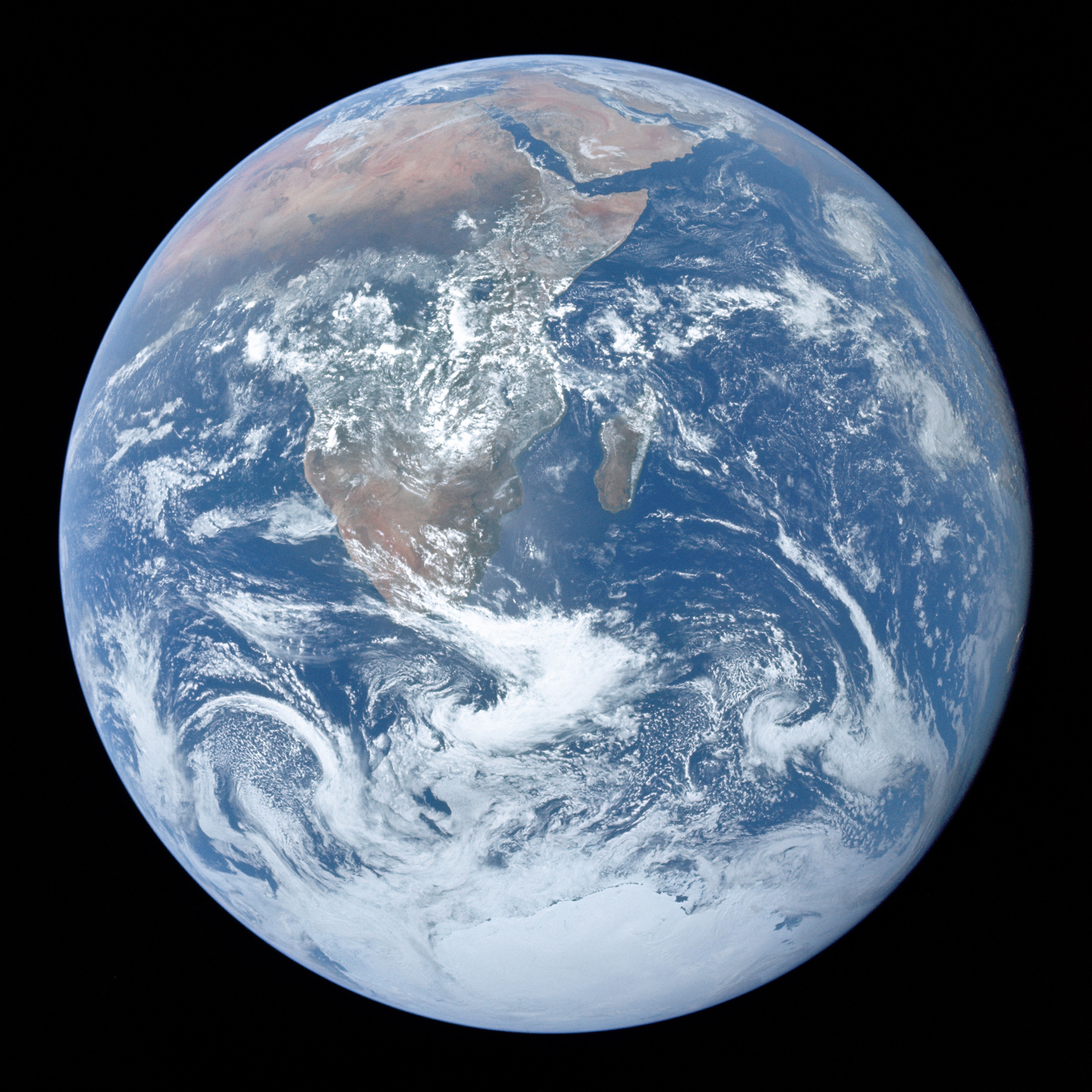
Today Pinky finally conquered the world! Next up will be Mars. Watch out billionaires!
SECST knows which tags to collect into arrays for JSON-LD and how to map similar SECST or HTML semantics to JSON-LD. It ignores tags that are not part of JSON-LD schema unless they have been mapped to JSON-LD schema internally.
Some JSON-LD attributes mapped to tags can have attributes, e.g. :heading({level:2})[].
Also note the use of Date formatting below based on Javascript date and time format functionality.
:NewsArticle[
  :headline({level:2})[Pinky and The Brain Plan For Mars]
  :img(./assets/images/mars.jpg {height:50,align:"left"})[Mars]
  :p[
      We, Pinky and The Brain, will soon announce plans to partner with one of the world's billionaires to take over Mars.
  ]
  :Author[
      :Person[
          :name[Pinky]
      ],
      :Person[
          :name[The Brain]
      ]
  ]
  :datePublished({format:"{dateStyle:'full',timeStyle:'long'}"})[2022-12-20T08:00:00+08:00]
]
will generate this JSON-LD and insert it into the head of the document:
<script type="application/ld+json">
{
"@context": "https://schema.org",
"@type": "NewsArticle",
"headline": "Pinky and The Brain Plan For Mars",
"image": [
  "./assets/images/mars.jpg"
 ],
"datePublished": "2022-12-20T08:00:00+08:00",
"author": [{
    "@type": "Person",
    "name": "Pinky",
  },{
    "@type": "Person",
    "name": "The Brain"
}]
}
</script>
while rendering this content
Pinky and The Brain Plan For Mars
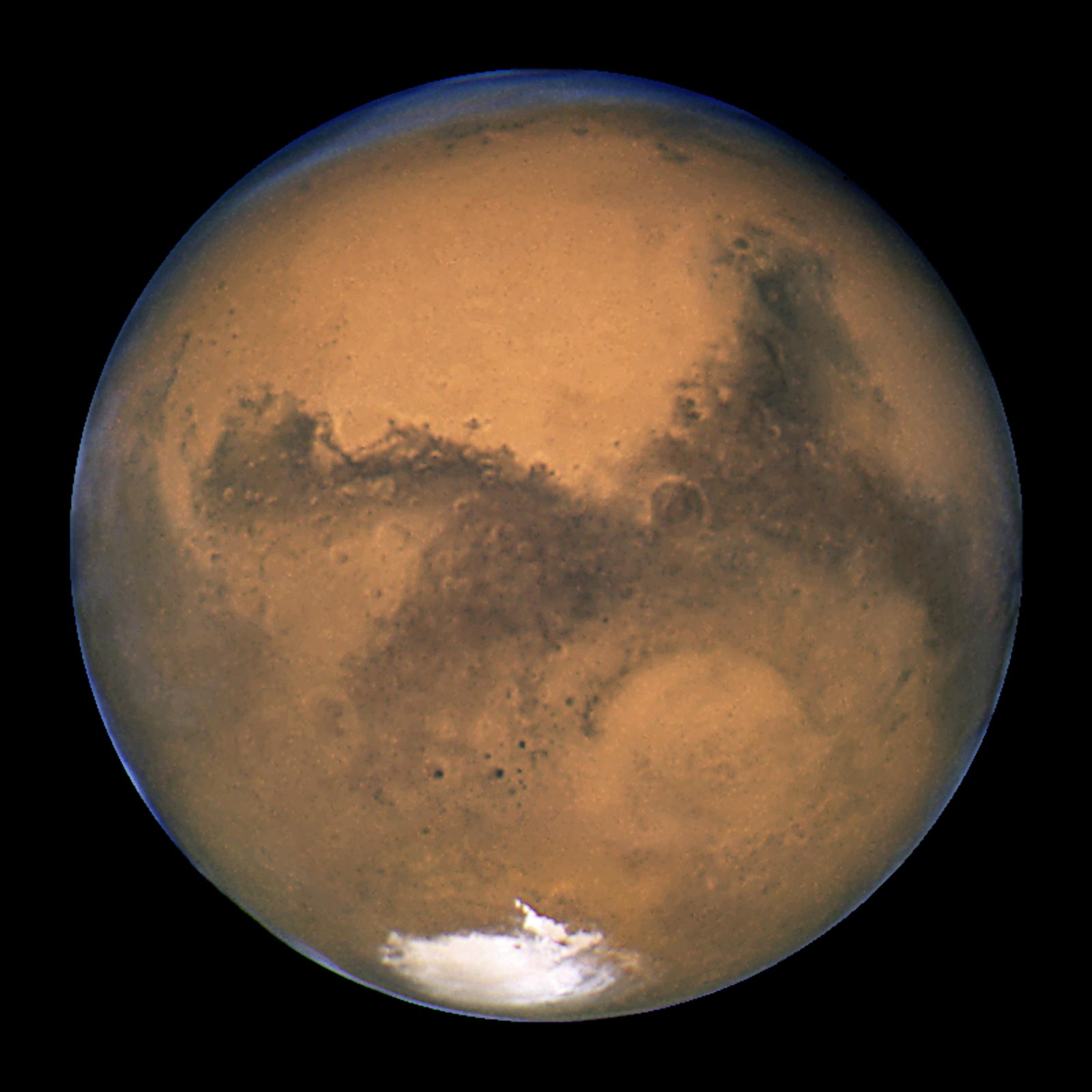
We, Pinky and The Brain, will soon announce plans to partner with one of the world's billionaires to take over Mars.
The ordering of the tags inside :NewsArticle[] is only relevant to the display layout. This generates equivalent JSON-LD:
:NewsArticle[
  :headline({level:4})[Pinky and The Brain Plan For Mars]
  :author[
      :Person[:name[Pinky]],
      :Person[:name[The Brain]]
  ]
  :datePublished({format:"{dateStyle:'full',timeStyle:'long'}"})[2022-12-20T08:00:00+08:00]
  :img(./assets/images/mars.jpg {height:50,align:"left"})[Mars]
  :p[
      We, Pinky and The Brain, will soon announce plans to partner with one of the world's billionaires to take over Mars.
  ]
]
but renders with a smaller heading and the attribution at the start:
Pinky and The Brain Plan For Mars
We, Pinky and The Brain, will soon announce plans to partner with one of the world's billionaires to take over Mars.
The generated HTML also contains styles, so a style sheet can be used to modify the displayed content.
<div class="JSON-LD-NewsArticle">
<h1>Pinky and The Brain Plan For Mars</h1>
<span>
<span class="JSON-LD-Person"><name class="JSON-LD-Person-name">Pinky</name></span>,
<span class="JSON-LD-Person"><name class="JSON-LD-Person-name">The Brain</name></span>
</span>
<span data-format="{dateStyle:'full',timeStyle:'long'}">Monday, December 19, 2022 at 4:00:00 PM PST</span>
<p> <img height="50" align="left" title="Mars" alt="Mars" src="./assets/images/mars.jpg"><br> We, Pinky and The Brain, will soon announce plans to partner with one of the world's billionaires to take over Mars.<br> </p>
</div>☷ Tables of Contents ↑ ↓
Tables of contents are placed at the location of the tag toc[<title>]. The :toc[] tag should occur at the same level, i.e. outside of, :section[].
If you do not provide a title, "Table of Contents" is used. All content after the tag is analyzed for sections with a heading as the first child tag. These are used for the table.
Levels are determined based on section nesting. You can use the heading tag :h[] that has no number and the headings will be automatically sized.
Only the first occurrence of toc is used, others are ignored.
After transpilation, each heading in the document will have an ☷ icon preceding it. When this icon is clicked, the table of contents will hover over the heading until something in the document is clicked.
Each heading will have up and down arrows placed after it to facilitate jumping to the previous and next section.
The tag can take the boolean attribute toggle to collapse the table of contents into an HTML details element.
☷ Theme ↑ ↓
If a :theme[] tag with a URL exists in document, then the default CCS file secst.css is not applied.
The theme ./assets/themes/html.css provides only those styles dependent on the .secst class and a few structural defaults. Default browser HTML styling is used elsewhere. It is kind of ugly!
Only one theme tag is usually used, but it is possible to use multiple theme tags.
The content of a theme can be any tag, except most have a special interpretation. The tag content is the CSS to apply to the tag, e.g. :theme[:p[border:solid black 1px;]] will put a black border around all paragraphs.
The theme content tags permitted but not treated in a special way are :link[], :style[], and :class[] (which is unique to :theme[]).
The tag :class[] takes a name attribute (without a prefixed period) and the content is the CSS, e.g. :theme[:class({name:"italic-paragraph"})[font-style:italic;]] creates a class .italic-paragraph. These classes can be added to the parenthetical part of tags, e.g. :p(.italic-paragraph)[Paragraph in italics].
Theme tags can exist as Body Content or Block Content. They should be placed as close to the top of the document as possible.
Themes can be scoped using the scope attribute, the value of which is a CSS selector string, e.g. :theme({scope:#special-section})[:p[border:solid black 1px;]] will only put borders around paragraphs that are inside a :section(#special-section)[].
Themes associated with a URL can be statically loaded as HTML style tags by using the attribute static.
:theme[:class({name:"italic-paragraph"})[font-style:italic;]]
:theme({scope:"#special-section"})[:p[border:solid black 1px;]]
:section[
 :p(.italic-paragraph)[Italic paragraph with no border.]
]
:section(#special-section)[
 :p[Paragraph with border.]
]
renders as
Italic paragraph with no border
Paragraph with border
☷ Transpiled SECST ↑ ↓
The HTML of transpiled SECST can be displayed as plain text, e.g. :transpiled[:strong[test]] renders as <strong>test</strong>.
If you desire the transpiled code to be displayed as a block, end the content between the [] with a newline.
☷ Values and Formulas ↑ ↓
SECST supports the tag :value[] for adding reactive variables and formulas to documents.
- The value of a
:value[]is the content, i.e the text between the[]. It should be either a literal value or a formula, e.g.:value[2 * 2]= . - By default values are visible. Use the boolean attribute
hiddento hide them, e.g.:value(hidden)[2 * 2]= . - So that readers know the value may be computed, computed ones are rendered as disabled, readonly input. To render them as plaintext use the attribute
plaintext, e.g.:value(plaintext)[2 * 2]= 4. - To make a value editable by readers, use the attribute
editable, e.g. code[:value(editable)[2 * 2]] = . - Everything between the
[]is treated as a formula for evaluation, if your readers may be entering formula like text and you do not want it evaluated, use the attributeliteral, e.g.:value(literal)[2 *2]= . - If values are not given a
titleattribute, e.g.:value({title:"Two times two"})[2 * 2], then the content is used as the mouseover title unless the content is provided by a URL, in which case the URL is the title, e.g.:value(./sample.json type="application/json")has a mouseover title of./sample.json.
Formulas are actually just valid JavaScript expressions that also support standard and symbolic math. SECST attempts to process most values as math expressions first4 and if this fails, as JavaScript.
-
2 * 3= , -
2^3when used as part of a math expression5, is the same as2**3, which is the same aspow(2,3), which is the same asMath.pow(2,3)= .
To use a value in another formula, the value must be named with an id, e.g.
:value(#v1)[2] + :value(#v2)[2] = :value(plaintext)[$(#v1) + $(#v2)]
+ = 4 (try changing one of the inputs)
The code $(#<some-id>) is used to substitute named values into formulas. See Advanced Formulas for use of more general CSS selectors and arrays.
☷ Typed Data ↑ ↓
The :value[] tag supports the type attribute, valid types include those supported by the HTML input element except button, file, hidden, image, search and submit.
The type can also be one of the mime-types text/plain, text/csv, application/json, e.g. :value(editable {type:"application/json"})[{name:"Joe"}] as shown below in Importing Data..
If you provide a type, e.g. :value(editable {type:"number"}), then the type will be enforced when the value is edited: .
If the value is computed, a red border will surround type check failures.
☷ String Manipulation ↑ ↓
Strings can be combined using the + sign, e.g. :value["Hello" + " " + "world!"] = .
Strings can be manipulated using the standard JavaScript methods, e.g. :value["Hello world!".substring(0,5)] = .
☷ Basic Math ↑ ↓
Math formulas include anything that can use the normal operators, ,%,^,*,-,+,<,<=,==,>=,> and any functions available via MathJS.
Formulas can include physical constants, e.g :value[pi * 3^2] = .
This includes these items (most links goto MathJS documentation):
- Algebraic functions, covered in more detail later.
- Arithmetic functions
- Bitwise functions
- Combinatorics functions
- Complex functions
- Geometry functions
- Logical functions
- Matrix functions, covered in more detail later.
- Probability functions
- Relational functions
- Set functions
- Special functions
- Statistics functions
- String functions
- Trigonometry functions
- Unit functions
- Utility functions
☷ Algebraic Functions ↑ ↓
You can ...
- Compute derivatives:
:value[derivative('x^2 + x', 'x')]- Simplify equations:
:value[simplify('x^2 + x + 3 + x^2')]- Solve equations:
:value[solve('Math.pow(r,2)',{r:3})}]- Give your readers the opportunity to provide the values for which to solve:
-
renders asMath.pow(r,2) where r = :value(#v1d)[0] is :value[solve('Math.pow(r,2)',{r:$(#v1d)})]
Math.pow(r,2) where r = is
renders asThe derivative of :value(#formula literal editable)[x^2 + x] for :value(#variable literal editable)[x] is :value[derivative($(#formula),$(#variable))]
The derivative of for is
☷ Matrix Functions ↑ ↓
☷ Unit Math ↑ ↓
Unit math from MathJS allows for conversions using the word to, as well as units for numbers, e.g. 45 deg.
There are many supported units.
Here are a few examples:
:value[2 inch to cm] =
:value[90 km/h to mi/h] =
:value[90 km/h to m/h] = m/h is meters per hour
:value[(1 week + 1 day) to days] =
:value[cos(45 deg)] =
:value[8.314 m^3 Pa / mol / K] =
Remember, if you have a value that looks like a formula, but is not, you can use the attribute literal, e.g. :value(literal)[2 inch to cm] = .
And, you can use plaintext to display values without any styling, e.g. :value(plaintext)[90 km/h to mi/h] = 90 km/h to mi/h.
☷ Importing Data ↑ ↓
Values can included imported data using the src attribute and a mime type provided in the type attribute. The trailing [] are optional.
Values with the boolean attribute static is import data at transpile time. If importing fails, another attempt is made at runtime.
JSON is formatted for readability and JSON5 is supported to make it easier to handle remote data.
:value(https://earthquake.usgs.gov/earthquakes/feed/v1.0/summary/all_hour.geojson static {type:"application/json"})
Imported data is readonly because it is essentially a computation. To make it editable, use the attribute editable.
:value(https://earthquake.usgs.gov/earthquakes/feed/v1.0/summary/all_hour.geojson editable {type:"application/json"})
If an id is added, the data can be used in a computation.
:value(#earthquake-data https://earthquake.usgs.gov/earthquakes/feed/v1.0/summary/all_hour.geojson {type:"application/json"})

:value[$(#earthquake-data).metadata]
☷ Advanced Formulas ↑ ↓
☷ Formulas With CSS Selectors and Multiple Values ↑ ↓
You can use almost any CSS selector in place of #id in $(#<id>). The value returned will be the contents of the value property on the element or (if not available) the value attribute or the innerText.
You can use commas to select multiple identifier named elements, e.g. :value[$(#id1, #id2, #id3)] is an array of the values associated with the elements :value(#id1)[3], :value(#id2)[2], :value(#id3)[1] and will be [3,2,1].
A value reference $(css-selector) can end in [] to indicate multiple values should be returned as an array if the selector does not contain a comma. This allows tables to be treated somewhat like spreadsheets.
☷ Macro List Formatting ↑ ↓
The SECST formula evaluator supports supports some utility functions.
☷ JavaScript ↑ ↓
You can use any JavaScript that is available in WebWorkers inside a macro. A special read-only document object is also made available. This object has title, baseURI, location, and navigator properties along with a property for each meta tag name and value.
☷ Styling Content ↑ ↓
Content can be styled using CSS classes loaded using the theme tag.
CSS classes are applied to content using .<class-name> inside the parenthetical configuration part of a tag, e.g. :p(.my-class1 .my-class2)[My content].
Also see the style tag.
Style can be applied at the element level using the style attribute of a tag if the tag supports the style attribute. Currently only the p[] tag supports the style attribute. Using the theme[] or :style[] tag with an id selector is suggested.
The style attribute can be in string or JSON format. If in JSON format, it should use camelCase versions of CSS property names. For example, :p({style:"width:200px;text-align:right;float:right"})[My right content] and :p({style:{width:"200px";textAlign:"right",float:"right"}}')[My right content] produce the same output.
:p({style:"text-align:left;float:right"})[
  My right content
]
:p[
  Left Content
  More left content
]
renders as
My right content
Left Content
More left content
Note: the p tag supports the attributes align and textAlign, so using style in the manner above is not actually necessary.
☷ Transpiling ↑ ↓
☷ Client Processing ↑ ↓
See the file ./preview.html in the root of the project directory.
☷ Server Processing ↑ ↓
Install secst as a dev dependency in your project: npm install --save-dev secst.
The command line node ./node_modules/secst/secst.js will convert any files in the root directory with the extension .sct into HTML files.
If a wild card Glob pattern is used, then all matching files with a .sct extension will be transpiled.
The command can be run as part of your build process to generate a static website.
There is not yet an Express route or Service Worker, but the code in ./node_modules/secst/secst.js could be used as a starting point.
An SPD (Single Page Document) capability that takes multiple .sct files in a directory tree that parallels the desired section structure and creates a single HTML file is under development.
A multi-page processor that will split a single .sct files into multiple files based on its section structure and patch links accordingly is also under consideration.
☷ Configuring, Extending, And Programming ↑ ↓
☷ Basic Configuration ↑ ↓
☷ Semantic Options ↑ ↓
☷ Error Handling ↑ ↓
Depending on your use case, the reference transpiler can be set to do one of the following when errors are encountered.
- cancel, stop processing and throw an error when the first problem is detected
- collect, collect all the errors and return them with line numbers (if you are writing an editor)
- leave the text version of the error generating mark-up in place (also collects the errors)
- try to correct the errors (collects the errors and also returns a parse tree with corrected markup)
☷ Tag Configuration ↑ ↓
☷ Custom Tags ↑ ↓
☷ Custom Methods ↑ ↓
☷ Event Listeners ↑ ↓
☷ Complete List Of Tags ↑ ↓
The documentation below is generated directly from SECST source code.
- &
- Transformation Impacts:
N/A
- Attributes Allowed:
N/A - Content Allowed:
plain text - @facebook
- Transformation Impacts:
Attributes may differ from the below since the tag is transformed and transient attributes may be deleted. See the detailed documentation for the tag.
- Attributes Allowed:
href: transform href(value) target: string - Content Allowed:
plain text - @github
- Transformation Impacts:
Attributes may differ from the below since the tag is transformed and transient attributes may be deleted. See the detailed documentation for the tag.
- Attributes Allowed:
href: transform href(value) target: string - Content Allowed:
plain text - @linkedin
- Transformation Impacts:
Attributes may differ from the below since the tag is transformed and transient attributes may be deleted. See the detailed documentation for the tag.
- Attributes Allowed:
href: transform href(value) target: string - Content Allowed:
plain text - @twitter
- Transformation Impacts:
Attributes may differ from the below since the tag is transformed and transient attributes may be deleted. See the detailed documentation for the tag.
- Attributes Allowed:
href: transform href(value) target: string - Content Allowed:
plain text - NewsArticle JSON schema, Google SEO info
- Transformation Impacts:
N/A
- Attributes Allowed:
N/A - Content Allowed:
article, author, datePublished, footer, forEach, forEntries, h, h1, h2, h3, h4, h5, h6, h7, h8, header, headline, img, link, mermaidChart, p, repl, section, sheetMusic, theme, title, toc - article html
- Transformation Impacts:
N/A
- Attributes Allowed:
N/A - Content Allowed:
N/A - author JSON schema
- Transformation Impacts:
N/A
- Attributes Allowed:
N/A - Content Allowed:
Person, name - Person JSON schema
- Transformation Impacts:
N/A
- Attributes Allowed:
N/A - Content Allowed:
name - name html
- Transformation Impacts:
N/A
- Attributes Allowed:
N/A - Content Allowed:
plain text - datePublished JSON schema
- Transformation Impacts:
N/A
- Attributes Allowed:
format: transform format(value) lang: string - Content Allowed:
plain text - footer html
- Transformation Impacts:
N/A
- Attributes Allowed:
N/A - Content Allowed:
a, abbr, b, bold, code, del, em, i, ins, italic, kbd, mark, meta, p, pre, q, samp, strike, strong, sub, sup, u, var - a html
- Transformation Impacts:
N/A
- Attributes Allowed:
N/A - Content Allowed:
N/A - abbr html
- Transformation Impacts:
N/A
- Attributes Allowed:
N/A - Content Allowed:
N/A - b html
- Transformation Impacts:
N/A
- Attributes Allowed:
N/A - Content Allowed:
N/A - bold html
- Transformation Impacts:
N/A
- Attributes Allowed:
N/A - Content Allowed:
N/A - code html
- Transformation Impacts:
N/A
- Attributes Allowed:
N/A - Content Allowed:
N/A - del html
- Transformation Impacts:
N/A
- Attributes Allowed:
N/A - Content Allowed:
N/A - em html
- Transformation Impacts:
N/A
- Attributes Allowed:
N/A - Content Allowed:
N/A - i html
- Transformation Impacts:
N/A
- Attributes Allowed:
N/A - Content Allowed:
N/A - ins html
- Transformation Impacts:
N/A
- Attributes Allowed:
N/A - Content Allowed:
N/A - italic html
- Transformation Impacts:
N/A
- Attributes Allowed:
N/A - Content Allowed:
N/A - kbd html
- Transformation Impacts:
N/A
- Attributes Allowed:
N/A - Content Allowed:
N/A - mark html
- Transformation Impacts:
N/A
- Attributes Allowed:
N/A - Content Allowed:
N/A - meta html
- Transformation Impacts:
N/A
- Attributes Allowed:
N/A - Content Allowed:
N/A - p html
- Transformation Impacts:
Attributes may differ from the below since the tag is transformed and transient attributes may be deleted. See the detailed documentation for the tag.
- Attributes Allowed:
align: one of [left, right] style: transform style(value) textAlign: one of [left, center, right, justify] - Content Allowed:
&, @facebook, @github, @linkedin, @twitter, a, abbr, b, blockquote, bold, br, code, del, details, dl, em, emoji, escape, footnote, hashtag, hr, i, img, input, ins, italic, kbd, latex, mark, meta, ol, pre, q, question, samp, strike, strong, sub, sup, table, textarea, transpiled, u, ul, value, var - blockquote html
- Transformation Impacts:
N/A
- Attributes Allowed:
N/A - Content Allowed:
N/A - br html
- Transformation Impacts:
N/A
- Attributes Allowed:
N/A - Content Allowed:
N/A - details html
- Transformation Impacts:
N/A
- Attributes Allowed:
N/A - Content Allowed:
N/A - dl html
- Transformation Impacts:
N/A
- Attributes Allowed:
N/A - Content Allowed:
N/A - emoji emoji catalog, additional info
- Transformation Impacts:
N/A
- Attributes Allowed:
filter: string grayscale: transform grayscale(value) greyscale: transform greyscale(value) - Content Allowed:
plain text - escape
- Transformation Impacts:
N/A
- Attributes Allowed:
N/A - Content Allowed:
plain text - footnote html
- Transformation Impacts:
N/A
- Attributes Allowed:
N/A - Content Allowed:
N/A - hashtag
- Transformation Impacts:
N/A
- Attributes Allowed:
N/A - Content Allowed:
plain text - hr html
- Transformation Impacts:
N/A
- Attributes Allowed:
N/A - Content Allowed:
N/A - img html
- Transformation Impacts:
Attributes may differ from the below since the tag is transformed and transient attributes may be deleted. See the detailed documentation for the tag.
- Attributes Allowed:
align: one of [top, middle, bottom, left, right] alt: string decoding: one of [sync, async, auto] fetchpriority: one of [high, low, auto] height: number ismap: boolean loading: one of [eager, lazy] referrerpolicy: one of [no-referrer, no-referrer-when-downgrade, origin, origin-when-corss-origin, same-origin, strict-origin, strict-origin-when-cross-origin] src: isURL(value) static: boolean title: string url: transform url(value) width: number - Content Allowed:
N/A - input html
- Transformation Impacts:
N/A
- Attributes Allowed:
title: custom validation object type: one of [checkbox, color, date, datetime-local, email, month, number, password, radio, range, tel, text, time, url, week] value: true - Content Allowed:
N/A - latex html
- Transformation Impacts:
N/A
- Attributes Allowed:
N/A - Content Allowed:
N/A - ol html
- Transformation Impacts:
N/A
- Attributes Allowed:
N/A - Content Allowed:
N/A - pre html
- Transformation Impacts:
N/A
- Attributes Allowed:
N/A - Content Allowed:
N/A - q html
- Transformation Impacts:
N/A
- Attributes Allowed:
N/A - Content Allowed:
N/A - question html
- Transformation Impacts:
N/A
- Attributes Allowed:
N/A - Content Allowed:
N/A - samp html
- Transformation Impacts:
N/A
- Attributes Allowed:
N/A - Content Allowed:
N/A - strike html
- Transformation Impacts:
N/A
- Attributes Allowed:
N/A - Content Allowed:
N/A - strong html
- Transformation Impacts:
N/A
- Attributes Allowed:
N/A - Content Allowed:
N/A - sub html
- Transformation Impacts:
N/A
- Attributes Allowed:
N/A - Content Allowed:
N/A - sup html
- Transformation Impacts:
N/A
- Attributes Allowed:
N/A - Content Allowed:
N/A - table html
- Transformation Impacts:
N/A
- Attributes Allowed:
N/A - Content Allowed:
caption, tbody, tfoot, thead, tr - caption html
- Transformation Impacts:
N/A
- Attributes Allowed:
N/A - Content Allowed:
a, abbr, b, bold, code, del, em, i, ins, italic, kbd, mark, meta, pre, q, samp, strike, strong, sub, sup, u, var - u html
- Transformation Impacts:
N/A
- Attributes Allowed:
N/A - Content Allowed:
N/A - var html
- Transformation Impacts:
N/A
- Attributes Allowed:
N/A - Content Allowed:
a, abbr, b, bold, code, del, em, i, ins, italic, kbd, mark, meta, pre, q, samp, strike, strong, sub, sup, u - tbody html
- Transformation Impacts:
N/A
- Attributes Allowed:
N/A - Content Allowed:
tr - tr html
- Transformation Impacts:
Attributes may differ from the below since the tag is transformed and transient attributes may be deleted. See the detailed documentation for the tag.
- Attributes Allowed:
rowspan: transform rowspan(value) - Content Allowed:
td, th - td html
- Transformation Impacts:
N/A
- Attributes Allowed:
colspan: transform colspan(value) - Content Allowed:
&, @facebook, @github, @linkedin, @twitter, a, abbr, b, blockquote, bold, br, code, del, details, dl, em, emoji, escape, footnote, hashtag, hr, i, img, input, ins, italic, kbd, latex, mark, meta, ol, pre, q, question, samp, strike, strong, sub, sup, table, textarea, transpiled, u, ul, value, var - textarea html
- Transformation Impacts:
Attributes may differ from the below since the tag is transformed and transient attributes may be deleted. See the detailed documentation for the tag.
- Attributes Allowed:
disabled: true readonly: true value: true - Content Allowed:
plain text - transpiled html
- Transformation Impacts:
N/A
- Attributes Allowed:
N/A - Content Allowed:
&, @facebook, @github, @linkedin, @twitter, NewsArticle, a, abbr, article, b, blockquote, bold, br, code, del, details, dl, em, emoji, escape, footer, footnote, forEach, forEntries, h, h1, h2, h3, h4, h5, h6, h7, h8, hashtag, header, hr, i, img, input, ins, italic, kbd, latex, link, listeners, macro, mark, mermaidChart, meta, ol, p, pre, q, question, repl, samp, section, sheetMusic, strike, strong, style, sub, sup, table, textarea, theme, title, toc, transpiled, u, ul, value, var - forEach
- Transformation Impacts:
N/A
- Attributes Allowed:
iterable: transform iterable(value) - Content Allowed:
&, @facebook, @github, @linkedin, @twitter, NewsArticle, a, abbr, answer, article, b, blockquote, bold, br, caption, class, code, dd, del, details, dl, dt, em, emoji, escape, footer, footnote, forEach, forEntries, h, h1, h2, h3, h4, h5, h6, h7, h8, hashtag, header, hr, i, img, input, ins, italic, kbd, latex, li, link, macro, mark, mermaidChart, meta, ol, p, pre, q, question, repl, samp, section, sheetMusic, slot, strike, strong, style, sub, summary, sup, table, tbody, td, text, textarea, tfoot, th, thead, theme, title, toc, tr, transpiled, u, ul, value, var - answer html
- Transformation Impacts:
N/A
- Attributes Allowed:
literal: transform literal(value) type: one of [hidden] value: true - Content Allowed:
plain text - class html
- Transformation Impacts:
N/A
- Attributes Allowed:
name: string - Content Allowed:
plain text - dd html
- Transformation Impacts:
N/A
- Attributes Allowed:
N/A - Content Allowed:
&, @facebook, @github, @linkedin, @twitter, a, abbr, b, blockquote, bold, br, code, del, details, em, emoji, escape, footnote, hashtag, hr, i, img, input, ins, italic, kbd, latex, mark, meta, ol, pre, q, question, samp, strike, strong, sub, sup, table, textarea, transpiled, u, ul, value, var - ul html
- Transformation Impacts:
N/A
- Attributes Allowed:
N/A - Content Allowed:
N/A - value
- Transformation Impacts:
Attributes may differ from the below since the tag is transformed and transient attributes may be deleted. See the detailed documentation for the tag.
- Attributes Allowed:
default: transform default(value) disabled: transform disabled(value) editable: transform editable(value) extract: transform extract(value) fitcontent: transform fitcontent(value) format: transform format(value) globalThis: transform globalThis(value) hidden: true literal: transform literal(value) plaintext: transform plaintext(value) readonly: transform readonly(value) src: transform src(value) static: true template: transform template(value) title: custom validation object type: custom validation object url: transform url(value) value: true - Content Allowed:
plain text - dt html
- Transformation Impacts:
N/A
- Attributes Allowed:
N/A - Content Allowed:
&, @facebook, @github, @linkedin, @twitter, a, abbr, b, blockquote, bold, br, code, del, details, em, emoji, escape, footnote, hashtag, hr, i, img, input, ins, italic, kbd, latex, mark, meta, ol, pre, q, question, samp, strike, strong, sub, sup, table, textarea, transpiled, u, ul, value, var - forEntries
- Transformation Impacts:
N/A
- Attributes Allowed:
object: transform object(value) - Content Allowed:
&, @facebook, @github, @linkedin, @twitter, NewsArticle, a, abbr, answer, article, b, blockquote, bold, br, caption, class, code, dd, del, details, dl, dt, em, emoji, escape, footer, footnote, forEach, forEntries, h, h1, h2, h3, h4, h5, h6, h7, h8, hashtag, header, hr, i, img, input, ins, italic, kbd, latex, li, link, macro, mark, mermaidChart, meta, ol, p, pre, q, question, repl, samp, section, sheetMusic, slot, strike, strong, style, sub, summary, sup, table, tbody, td, text, textarea, tfoot, th, thead, theme, title, toc, tr, transpiled, u, ul, value, var - h html
- Transformation Impacts:
N/A
- Attributes Allowed:
N/A - Content Allowed:
a, abbr, b, bold, code, del, em, i, ins, italic, kbd, mark, meta, pre, q, samp, strike, strong, sub, sup, u, var - h1 html
- Transformation Impacts:
N/A
- Attributes Allowed:
N/A - Content Allowed:
a, abbr, b, bold, code, del, em, i, ins, italic, kbd, mark, meta, pre, q, samp, strike, strong, sub, sup, u, var - h2 html
- Transformation Impacts:
N/A
- Attributes Allowed:
N/A - Content Allowed:
a, abbr, b, bold, code, del, em, i, ins, italic, kbd, mark, meta, pre, q, samp, strike, strong, sub, sup, u, var - h3 html
- Transformation Impacts:
N/A
- Attributes Allowed:
N/A - Content Allowed:
a, abbr, b, bold, code, del, em, i, ins, italic, kbd, mark, meta, pre, q, samp, strike, strong, sub, sup, u, var - h4 html
- Transformation Impacts:
N/A
- Attributes Allowed:
N/A - Content Allowed:
a, abbr, b, bold, code, del, em, i, ins, italic, kbd, mark, meta, pre, q, samp, strike, strong, sub, sup, u, var - h5 html
- Transformation Impacts:
N/A
- Attributes Allowed:
N/A - Content Allowed:
a, abbr, b, bold, code, del, em, i, ins, italic, kbd, mark, meta, pre, q, samp, strike, strong, sub, sup, u, var - h6 html
- Transformation Impacts:
N/A
- Attributes Allowed:
N/A - Content Allowed:
a, abbr, b, bold, code, del, em, i, ins, italic, kbd, mark, meta, pre, q, samp, strike, strong, sub, sup, u, var - h7 html
- Transformation Impacts:
N/A
- Attributes Allowed:
N/A - Content Allowed:
a, abbr, b, bold, code, del, em, i, ins, italic, kbd, mark, meta, pre, q, samp, strike, strong, sub, sup, u, var - h8 html
- Transformation Impacts:
N/A
- Attributes Allowed:
N/A - Content Allowed:
a, abbr, b, bold, code, del, em, i, ins, italic, kbd, mark, meta, pre, q, samp, strike, strong, sub, sup, u, var - header html
- Transformation Impacts:
N/A
- Attributes Allowed:
N/A - Content Allowed:
a, abbr, b, bold, code, del, em, i, ins, italic, kbd, mark, meta, p, pre, q, samp, strike, strong, sub, sup, u, var - li html
- Transformation Impacts:
N/A
- Attributes Allowed:
type: transform type(value) value: transform value(value) - Content Allowed:
&, @facebook, @github, @linkedin, @twitter, a, abbr, b, blockquote, bold, br, code, del, details, dl, em, emoji, escape, footnote, hashtag, hr, i, img, input, ins, italic, kbd, latex, mark, meta, ol, pre, q, question, samp, strike, strong, sub, sup, table, textarea, transpiled, u, ul, value, var - link html
- Transformation Impacts:
Attributes may differ from the below since the tag is transformed and transient attributes may be deleted. See the detailed documentation for the tag.
- Attributes Allowed:
href: transform href(value) rel: one of [stylesheet] url: transform url(value) - Content Allowed:
N/A - macro
- Transformation Impacts:
N/A
- Attributes Allowed:
N/A - Content Allowed:
N/A - mermaidChart
- Transformation Impacts:
N/A
- Attributes Allowed:
N/A - Content Allowed:
plain text - repl html , Medium: How To Host A REPL
- Transformation Impacts:
N/A
- Attributes Allowed:
body: transform body(value) css: transform css(value) head: transform head(value) javascript: transform javascript(value) linenumbers: transform linenumbers(value) replstyle: string - Content Allowed:
slot - slot html
- Transformation Impacts:
N/A
- Attributes Allowed:
hidden: boolean linenumbers: transform linenumbers(value) name: string readonly: boolean - Content Allowed:
plain text - section html
- Transformation Impacts:
Attributes may differ from the below since the tag is transformed and transient attributes may be deleted. See the detailed documentation for the tag.
- Attributes Allowed:
level: number - Content Allowed:
NewsArticle, article, footer, forEach, forEntries, h, h1, h2, h3, h4, h5, h6, h7, h8, header, img, link, macro, mermaidChart, p, repl, section, sheetMusic, theme, title, toc - sheetMusic
- Transformation Impacts:
N/A
- Attributes Allowed:
N/A - Content Allowed:
plain text - theme
- Transformation Impacts:
N/A
- Attributes Allowed:
N/A - Content Allowed:
class, link, style - style html
- Transformation Impacts:
Attributes may differ from the below since the tag is transformed and transient attributes may be deleted. See the detailed documentation for the tag.
- Attributes Allowed:
selector: true - Content Allowed:
plain text - title html
- Transformation Impacts:
N/A
- Attributes Allowed:
N/A - Content Allowed:
plain text - toc
- Transformation Impacts:
Attributes may differ from the below since the tag is transformed and transient attributes may be deleted. See the detailed documentation for the tag.
- Attributes Allowed:
toggle: transform toggle(value) - Content Allowed:
plain text - summary html
- Transformation Impacts:
N/A
- Attributes Allowed:
N/A - Content Allowed:
a, abbr, b, bold, code, del, em, i, ins, italic, kbd, mark, meta, pre, q, samp, strike, strong, sub, sup, u, var - text html
- Transformation Impacts:
N/A
- Attributes Allowed:
N/A - Content Allowed:
&, @facebook, @github, @linkedin, @twitter, a, abbr, b, blockquote, bold, br, code, del, details, dl, em, emoji, escape, footnote, hashtag, hr, i, img, input, ins, italic, kbd, latex, mark, meta, ol, pre, q, question, samp, strike, strong, sub, sup, table, textarea, transpiled, u, ul, value, var - tfoot html
- Transformation Impacts:
N/A
- Attributes Allowed:
N/A - Content Allowed:
plain text - th html
- Transformation Impacts:
N/A
- Attributes Allowed:
colspan: transform colspan(value) - Content Allowed:
&, @facebook, @github, @linkedin, @twitter, a, abbr, b, blockquote, bold, br, code, del, details, dl, em, emoji, escape, footnote, hashtag, hr, i, img, input, ins, italic, kbd, latex, mark, meta, ol, pre, q, question, samp, strike, strong, sub, sup, table, textarea, transpiled, u, ul, value, var - thead html
- Transformation Impacts:
N/A
- Attributes Allowed:
N/A - Content Allowed:
tr - listeners html
- Transformation Impacts:
N/A
- Attributes Allowed:
N/A - Content Allowed:
N/A - headline JSON schema
- Transformation Impacts:
N/A
- Attributes Allowed:
level: true - Content Allowed:
plain text
☷ Design Objectives ↑ ↓
Note, not all design objectives are fully implemented.
- Easy to understand, simple syntax, semantic
- Easy to learn, limited syntax, semantic
- Forgiving, auto corrects nesting, table column count, etc.
- Easy to extend, uniform syntax, declarative language elements li[Secure, transpiler ensures security, also see :a({"href":"#security"})[Security]]
- Performant, simple syntax reduces parser work, although iterating over tag object definitions can take time
- Small, simple syntax reduces parser size, although tag object definitions can take up memory
- Configurable, declarative language elements
- Comprehensive, all of semantic HTML and more (extensible)
- Computational, reactivity built-in, advanced math built in, simple user input mechanisms
- Programmable, simple event handling plus API
- Styled, code highlighting built-in, optional CSS capability
- Portable, HTML output with asset bundling options li[SEO Friendly, browser or server rendering, meta tags driven by hashtags and an explicit :code[:keywords[]] tag]
☷ Grammar ↑ ↓
All SECST markup takes one of two forms:
:<tag>[<content>...]where code:[<content>] is SECST markup ans text.:<tag>(#<id> .<class>... <unaryattribute>... <attributes>...)[<content>...]where<id>,<class>space separated list,<unaryattribute>space separated list,<attributes>JSON5 object are all optional, but must be provided in that order if present.
In some cases, e.g. for :hr, :br, and :value the trailing [] are optional.
The reference implementation uses a PEG parser and this grammar:
☷ Architecture ↑ ↓
☷ Semantic Architecture ↑ ↓
The Mozilla Development Network, a.k.a. MDN, documents several HTML tag content categories:
- Metadata content, e.g.
<link>,<style. - Flow content, most elements that can go inside
<body>. - Sectioning Content, e.g.
<section>,<article>. - Heading Content, e.g,
<h1>,<h2>. - Phrasing Content, i.e. anything that can go in a paragraph,
<p>. - Embedded Content, e.g.
<img>,audio, that cab be used in the same places as flow content. - Interactive Content, i.e. that specifically designed to support user interaction, e.g.
<a>,<input>. - Form Associated Content, i.e. elements that are usually seen inside a form, but might not support interaction, e.g.
<progress>.
SECST uses these content types to determine what types of tags can exists inside other tags with a few enhancements or exceptions:
- A content category Text Content, a sub-set of Phrasing Content that is typically displayed inline and does not allow a tag to be nested inside itself because it would be redundant, e.g.
<strong>. - A content category Block Content, includes all Flow Content that is not included in Text Content, e.g.
<table>. - A content category Body Content, enumerates tags allowed in a
<body>, including<style>and<link>which are usually in a<head>section, but may exist in a<body>. - All Flow Content MUST be inside of Sectioning Content. The tags
:article[]and:section[]are both Sectioning Content and Flow Content, so they can be nested. - Common cases where browsers support elements in an alternate context that makes semantic sense, e.g.
:progress[]can exist outside a<form>. - JSON-LD tags, which are treated as Sectioning Content.
☷ Data Architecture ↑ ↓
The relationship between tags is represented as a cyclical JSON structure. The bulk of of the structure is static, but some of it is dynamic and memoized to address its cyclical nature.
Tags are defined with the following parts:
{
  attributesAllowed: { // optional
      <attributeName>: true || "<primitive-type>" : function, // the function can validate or transform the attribute
      ...
  },
  contentAllowed: boolean || function || {<tagName>: Tag,...}, // optional
  transform(node) { // optional
      // a function body that can validate and manipulate the parsed tag
      // e.g. replace SECST attribute names with valid HTML attribute names or classes, map  :code[{language:"javascript"}] to the CSS class :code[.language-javascript] for use by HighlightJS.
      return node;
  },
  beforeMount(node) { // optional
      // a function body that can map SECST tag names to HTML tag names that are not valid in SECST
      // e.g. :code[transpiled] to :code[span] or :code[div]
      // node.tag = "div"
      return node;
  },
  toJSONLD(node) { // optional
      const jsonld = ...
       // a function body to override built-in JSONLD generation
      return jsonld;
  }
  toInnerHTML(node) { // optional
      const html = ...
      // a function body to generate the :code[innerHTML] for a tag in place of SECST iterating over parsed content for the tag.
      return html;
  }
  toText(node) { // optional
      const text = ...
      // a function body to generate text inside a :code[<span>] as a :strong[replacement] for the tag in place of SECST iterating over parsed content for the tag.
  }
  render(el,node) { // optional
      // a function body to manipulate the element based on the parsed node in some custom manner
  }
  mounted(el,node) { // optional
      // called when the element is added to a DOM tree that is not yet connected to a document
      // a function body that can make adjustments to the generated element before it is rendered, e.g. call HighlightJS with the :code[innerHTML] and replace it.
  },
  connected(el,node) { // optional
      // a function body that is called after all nodes have been added to a document in the order they were added to the document, e.g. re-compute sizes that can't be done easily with CSS
  }
  listeners: { // optional, responds to events on all occurrences of the tag
      <event-name>(event) {
          // function body, event.target will be the occurrence of the HTML element generated by the Tag
      },
      ...
  },
  ... // any other functions are added to the element generated by the tag.
}
Functions taking a node as an argument are free to modify the node. Where necessary, copying to support immutability is done prior to calling the function. Functions taking a node as the first argument MUST return a node.
Functions taking a node as a second argument should not modify the node or return a value. If they do, it will be ignored.
Parsed instances of tags, a.k.a. nodes, have a structure similar to that found in a virtual DOM:
{
  tag:<tag-name>,
  attributes:{<attribute-name>:<attribute-value>,...}
  classNames: Array // will be changed to use a Set,
  content: [string || <node>, ...]
}
☷ Project Architecture ↑ ↓
☷ Security ↑ ↓
Note, not all security features are fully implemented and tested in this release
- Prevents DOM clobbering by ensuring ids do not conflict with key DOM components, e.g.
head,body. - Does not allow the use of variables for attribute values.
- Executes all value functions in WebWorkers that will timeout if they take too long.
- Does not support "on" event handlers and limits the use of styling directly on HTML elements.
- Sanitizes CSS content used in the
:style[]tag. - Only passes attributes to HTML that are valid for the associated tag
☷ Release History (Reverse Chronological Order) ↑ ↓
2023-01-01 v0.0.3a - Started publishing release history. Documented use of command line when secst is installed as a dev dependency.
☷ Copyright and License ↑
Copyright 2022, AnyWhichWay LLC
Documentation License: Creative Commons Attribution v4.0
Code License: AGPL-3.0
Visit SECST on GitHub to participate in SECST's further development.
Footnotes
1, 2 Markdown does not autonumber footnotes, which makes them hard to maintain. Although, it does create back-references.
3 Footnote management does not get much easier!
4 A parser is used to match potential math expressions.
5 If the expression cannot be parsed as math, then 2^3 will be treated as XOR as it is in regular JavaScript.